


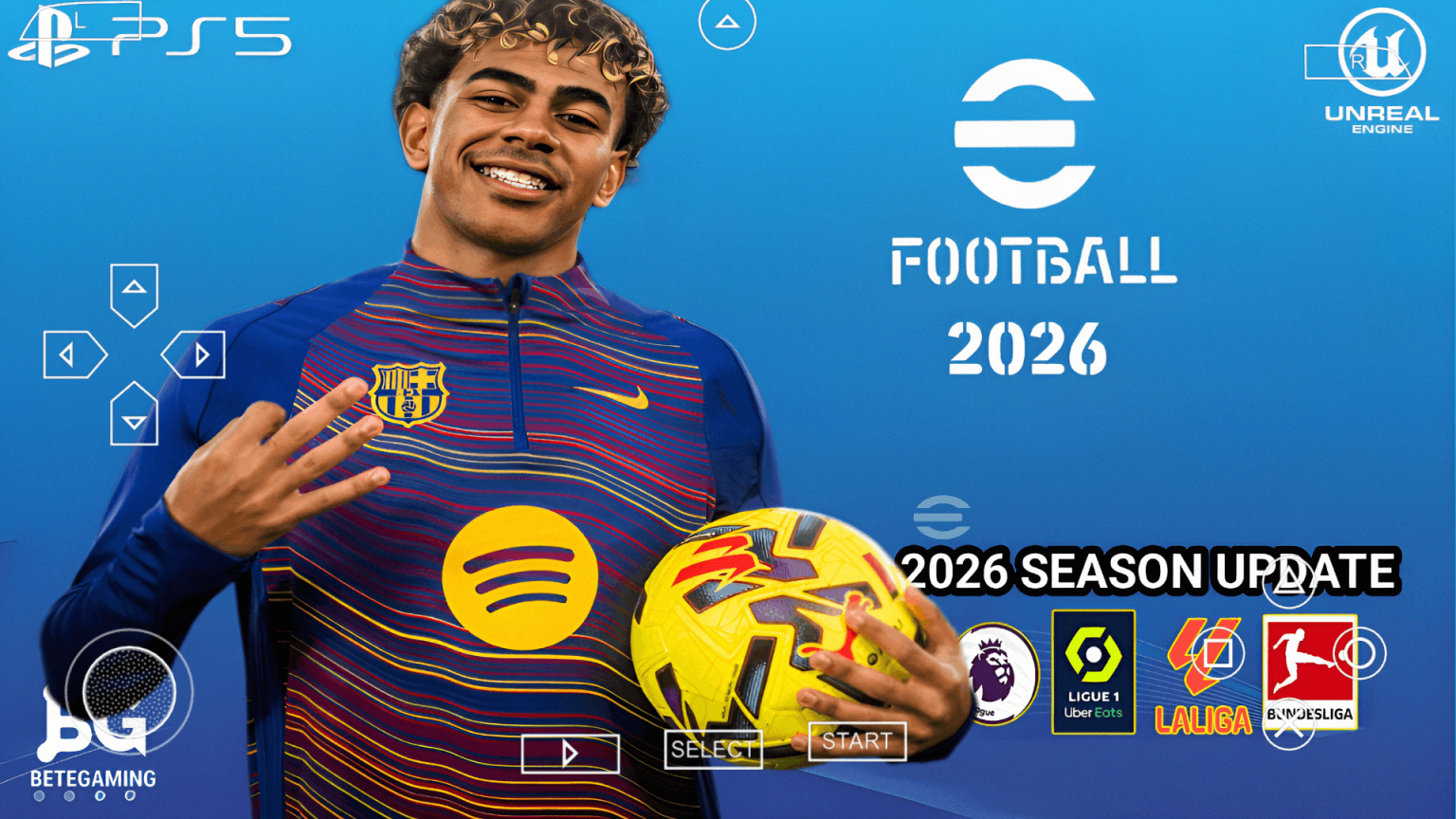

If you’re a football game lover playing on Android, I bet you’ve been searching for that one game that gives you the full console feel — without needing a PlayStation. That’s exactly what PES 2026 PPSSPP delivers. I’m talking about real stadiums, PS5-level camera angles, updated player rosters, and buttery-smooth gameplay — all offline, all on your Android phone.
- What Is PES 2026 PPSSPP?
- Game Table
- 50 Features of PES 2026 PPSSPP
- Fixes in This Version
- Music in PES 2026 PPSSPP
- Featured Players in PES 2026 PPSSPP
- List of New Players Added
- Game Controls — Full Detailed Guide
- Basic Movement Controls
- Passing
- Shooting
- Dribbling
- Defending
- Goalkeeper Controls
- Cheat Controls & Special Combinations
- Common Issues and How to Fix Them
- Issue 1: Game Crashes on Launch
- Issue 2: Severe Lag During Matches
- Issue 3: Black Screen After Loading
- Issue 4: No Sound / Audio Not Playing
- Issue 5: Controls Not Responding
- Game link |. Texture and save data Conclusion
- People Also Ask
What makes this version stand out from every other PPSSPP football game out there is the sheer detail packed into it. You get 62+ real stadiums, crowd noise that actually feels alive, and a camera system borrowed straight from the PS5 version of eFootball. Whether you’re playing a Champions League final or a local league match, the experience feels premium.
Now, before you dive in, let me walk you through everything — from what this game actually is, to its features, controls, common issues, and how to fix them. Trust me, once you get through this guide, you’ll be playing like a pro.
What Is PES 2026 PPSSPP?
PES 2026 PPSSPP is a modified (modded) version of Pro Evolution Soccer built to run on Android devices using the PPSSPP emulator. It’s not an official release from Konami — instead, talented developers in the modding community take the PPSSPP PES base and completely overhaul it with updated transfers, new kits, fresh stadiums, and improved graphics settings that mimic next-gen consoles.
Think of it like a chef taking an already good meal and completely upgrading the ingredients. The base is PES, but the mod transforms it into something that feels like eFootball 2026 running on a PS5. The game runs offline, which means no internet connection is needed once it’s installed — a huge win for players in areas with poor connectivity.
This version specifically features:
- Over 62 real-world stadiums with accurate designs
- PS5-style broadcast camera that gives a cinematic match feel
- Updated squads with 2025/2026 transfers
- Improved player faces and kit textures
Game Table
| Feature | Details |
|---|---|
| Game Name | PES 2026 PPSSPP |
| Platform | Android (via PPSSPP Emulator) |
| Mode | Offline |
| Stadiums | 62+ Real Stadiums |
| Camera | PS5 Broadcast Camera |
| File Size | ~600MB – 1.2GB |
| Android Version | 5.0 and above |
| Graphics | HD Textures |
| Internet Required | No |
| Player Transfers | Updated 2025/2026 |
50 Features of PES 2026 PPSSPP
- 62+ real-world stadiums
- PS5 broadcast camera angle
- Updated 2025/2026 player transfers
- HD player face textures
- Realistic crowd chants
- Updated kits for all major clubs
- National team kits included
- Smooth 60FPS gameplay
- Commentary in multiple languages
- Real referee uniforms
- Accurate stadium lighting (day/night)
- Custom scoreboard design
- UEFA Champions League mode
- Europa League tournament
- Premier League competition
- La Liga mode
- Serie A included
- Bundesliga teams
- Ligue 1 squads
- African league teams
- South American clubs
- Updated goalkeeper gloves
- New ball designs
- Realistic player animations
- Improved dribbling physics
- Enhanced shooting mechanics
- Better tackle response
- New celebration animations
- Penalty kick realism
- Free kick precision control
- Throw-in animation update
- Corner kick accuracy
- Offside detection improved
- VAR-style replay system
- Substitution feature mid-game
- Player stamina bar
- Injury system simulation
- Yellow and red card system
- Extra time and penalties
- Player ratings updated
- Manager mode available
- Custom formation editor
- Training mode
- Quick match option
- Season mode
- Save game feature
- Multiple difficulty levels
- PPSSPP graphics customisation support
- Texture pack support
- Fully offline — no internet needed
Fixes in This Version
This version comes with several bug fixes compared to earlier PPSSPP PES mods:
- Lag fix — Optimised textures reduce frame drops on mid-range phones
- Crash on startup fix — Corrected ISO file corruption issues
- Missing stadium fix — All 62+ stadiums now load without errors
- Black screen fix — Camera settings adjusted to prevent blank display
- Kit glitch fix — Away and home kits no longer swap randomly
- Player face bug fix — Face textures no longer disappear during replays
- Audio sync fix — Commentary and crowd sounds now match gameplay timing
Music in PES 2026 PPSSPP
The game features an updated soundtrack that includes high-energy background tracks perfect for football. The menu music gives you that motivational feel before you even kick off. During matches, crowd chants rise and fall depending on match events — a goal sends the crowd wild, while a near-miss gets a collective groan. It genuinely adds to the immersion.
Featured Players in PES 2026 PPSSPP
Some of the top players you’ll find in this version include:
- Kylian Mbappé — Real Madrid, updated rating
- Erling Haaland — Manchester City
- Vinicius Jr. — Real Madrid
- Jude Bellingham — Real Madrid
- Bukayo Saka — Arsenal
- Mohamed Salah — Liverpool
- Lamine Yamal — Barcelona
- Rodri — Manchester City
- Pedri — Barcelona
- Victor Osimhen — Updated club
List of New Players Added
- Lamine Yamal (Barcelona)
- Endrick (Real Madrid)
- Warren Zaïre-Emery (PSG)
- Kobbie Mainoo (Manchester United)
- Mathys Tel (Bayern Munich)
- Jorrel Hato (Ajax)
- Pau Cubarsí (Barcelona)
- Giorgio Scalvini (Atalanta)
- Yankuba Minteh (Brighton)
- Chido Obi-Martin (Arsenal)
Game Controls — Full Detailed Guide
This is where things get exciting. Understanding the controls separates a casual player from someone who dominates every match. I’ll break this down practically so you know exactly what to press and when.
Basic Movement Controls
Use the Left Analog Stick (on-screen D-pad) to move your player in any direction. When you’re running toward goal and an opponent closes in, quickly tap left or right on the D-pad to change direction — this triggers a sharp body swerve that beats defenders.
Passing
- Button 1 (×/Cross) — Short pass. Use this when a teammate is close. Tap it quickly in a one-two combination: press 1, then immediately press 1 again when the ball returns to you. This creates a wall-pass that slices through tight defences.
- Button 2 (○/Circle) — Through ball. When your striker makes a forward run, tap 2 to send a precise through pass into space. Time it as the striker starts his sprint — too early and the defender intercepts, too late and he’s offside.
- Button 4 (△/Triangle) — Lobbed pass / long ball. Press 4 when crossing from wide areas. Aim your D-pad toward the penalty spot, press 4, and watch the ball arc perfectly into the box.
Shooting
- Button 3 (□/Square) — Shoot. When you’re inside the box with the ball, hold 3 for power. A quick tap gives you a low driven shot; hold for 2 seconds and release for a thunderous strike. When one-on-one with the keeper, tap 3lightly and aim toward the far post using the D-pad. This places the shot calmly past the goalkeeper.
- Long Range Shot — When your midfielder is about 30 yards out, hold 3 fully, aim with D-pad slightly downward, and release. The ball bends and dips — goalkeepers struggle with this.
Dribbling
- R1 (Right Trigger Button) — Sprint. Hold this while pressing the D-pad to burst forward. As you approach a defender while sprinting, quickly tap left on D-pad + R1 to perform a stepover and accelerate past them.
- L1 (Left Trigger) — Shield the ball. When a defender pressures you from behind, hold L1 to protect the ball with your body. This buys time for teammates to move into position.
- R2 + D-pad flick — Skill move. Flick the D-pad rapidly in a circular motion while holding R2 to perform roulette tricks. Use this inside the box to create shooting space.
Defending
- Button 1 (×) — Press opponent. Tap 1 to close down the player on the ball. Don’t hold it — tap repeatedly as your player tracks the opponent.
- Button 2 (○) — Standing tackle. When directly in front of the opponent, press 2 to win the ball cleanly. Time it perfectly as the opponent touches the ball — pressing too early earns a yellow card.
- Button 4 (△) — Switch player. Press 4 to jump to the nearest defender. Use this when the opponent bypasses your pressing player so your cover defender steps in.
Goalkeeper Controls
When controlling the goalkeeper during a one-on-one:
- Press 3 to dive left
- Press 1 to dive right
- Hold 2 to stand tall and narrow the angle
Cheat Controls & Special Combinations
- Press 0 (Start button) during match — Opens substitution and tactic menu
- L1 + R1 simultaneously — Activates super cancel (cancels any running animation instantly)
- R2 + Button 3 held — Chip shot over the goalkeeper. Use this when the keeper rushes out — flick D-pad upward and release for a delicate lob
- L2 + Button 1 — Fake shot to mislead the defender. Press L2 first, then immediately tap 1. Your player pretends to shoot, the defender commits, and you glide past
- Double-tap R1 — Turbo burst for 2 seconds. Gives you extra speed over short distances, useful in counter-attacks
Common Issues and How to Fix Them
Issue 1: Game Crashes on Launch
Cause: Corrupted ISO file or incompatible PPSSPP version.
To resolve this issue:
- Delete the current ISO file from your storage
- Re-download the game from a trusted source
- Update your PPSSPP emulator to the latest version
- Open PPSSPP, go to Settings → System, and enable “Fast Memory”
- Relaunch the game
Issue 2: Severe Lag During Matches
Cause: High graphics settings overloading the device processor.
To resolve this issue:
- Open PPSSPP and tap Settings → Graphics
- Set Rendering Resolution to 1x (device native)
- Disable Post-Processing Shader
- Turn off MSAA Antialiasing
- Enable Frame Skipping and set it to 1
- Restart the game — performance improves significantly
Issue 3: Black Screen After Loading
Cause: Incorrect camera or display settings in PPSSPP.
To resolve this issue:
- Go to PPSSPP Settings → Graphics
- Change Backend from Vulkan to OpenGL
- Disable Lazy Texture Caching
- Save settings and reopen the game
Issue 4: No Sound / Audio Not Playing
Cause: Audio engine conflict with device settings.
To resolve this issue:
- Go to PPSSPP Settings → Audio
- Enable Enable Sound
- Set Audio Latency to Medium
- If using Bluetooth headphones, switch to wired and retest
- Restart the app
Issue 5: Controls Not Responding
Cause: Touch mapping conflict or outdated control layout.
To resolve this issue:
- Go to PPSSPP Settings → Controls → Control Mapping
- Reset to default layout
- Recalibrate on-screen buttons by tapping Edit Touch Controls
- Resize buttons to your comfort and save
Game link |. Texture and save data
Conclusion
Conclusion
PES 2026 PPSSPP for Android is genuinely one of the most complete offline football gaming experiences you can get on a mobile device right now. From the 62+ real stadiums that make every match feel like a televised event, to the PS5 camera that puts you right in the middle of the action, this mod delivers in every department.
The updated squads, new player additions, smoother gameplay, and detailed controls make it worth every minute of setup time. Once you get your controls mastered and fix any small technical issues using the steps above, you’ll find yourself spending hours on this game without even noticing. Drop a comment below telling me which stadium is your favourite to play in, or share your highest-rated player — I’d love to hear how your experience goes!
People Also Ask
Why does PES 2026 PPSSPP keep freezing mid-match? This usually happens because of high graphics settings or insufficient RAM. To fix it: open PPSSPP Settings → Graphics, reduce rendering resolution to 1x, turn off post-processing effects, and enable frame skipping set to 1. Also close all background apps before launching the game to free up RAM.
How do I install the PS5 camera in PES 2026 PPSSPP? The PS5 camera comes pre-configured in this modded version. However, if it doesn’t activate automatically: launch the game → go to Game Settings → Camera Options → select Broadcast/PS5 Camera from the list → save and restart the match. The camera will now display the cinematic wide-angle view.
Can I play PES 2026 PPSSPP without downloading the PPSSPP emulator separately? No — the PPSSPP emulator is required to run the ISO game file. Download the latest PPSSPP app from the Google Play Store, then load the PES 2026 ISO file through the emulator’s file browser. Once loaded, it runs fully offline without any further setup.
—————————————————————————
This content is published for review and educational purposes only.
All trademarks, game titles, and related assets belong to their respective owners. We do not host any download files and the links are for respective users.
