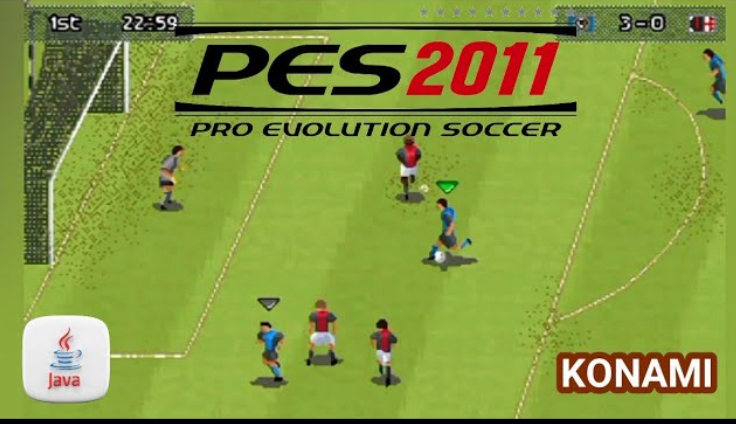
PES 2011 Java game was one of the moments when football games on keypad phones actually felt serious. Before this version, many Java football games felt flat, like you were just tapping buttons and hoping for the best. PES 2011 changed that feeling. It brought better control, smarter gameplay, and matches that felt more tactical, even on small screens.
This game was released at a time when Java phones were still king. Touchscreen Android phones were not everywhere yet, so people depended on keypad controls. Konami understood this and designed PES 2011 in a way that respected Java limitations but still pushed quality.
What made PES 2011 special was how it slowed the game down a bit. Players moved more realistically, passes required better timing, and defending was no longer just running into opponents. You actually had to think, even on a simple phone.
For many football fans, PES 2011 Java was the game that made them choose PES over FIFA on mobile. It felt closer to real football, and that alone made it legendary.
Game Information
| Item | Details |
|---|---|
| Game Name | Pro Evolution Soccer 2011 |
| Platform | Java (J2ME) |
| Genre | Sports, Football |
| Developer | Konami |
| Mode | Single Player |
| Game Type | Offline |
| Objective | Win matches, tournaments, and leagues using skill and tactics |
Historical Background of PES 2011 Java
PES 2011 Java came after the success of PES 2010, which already impressed many players. Konami used feedback from previous versions to improve movement, passing accuracy, and defensive mechanics.
At this time, Java football games were competing heavily. FIFA had strong graphics, but PES focused more on gameplay realism. PES 2011 leaned even more into that identity.
The game was released for different screen sizes and phone models, including Nokia, Samsung, Tecno, and Sony Ericsson Java phones. Because of this wide support, it became one of the most downloaded football Java games of its year.
Gameplay and Features
PES 2011 Java focuses on realistic football flow. Passing feels slower and more deliberate. You can not just spam long balls and expect magic. If you do, you lose possession quickly.
Dribbling is tighter compared to older versions. You need to use direction keys carefully to move past defenders. Sprinting at the wrong time can easily make you lose the ball.
Defending also improved. Instead of just charging at opponents, you need to position your defender properly. Timing tackles is very important, especially near the penalty box.
Game modes usually include Exhibition matches, League mode, Cup competitions, and sometimes Training or Practice modes depending on the version.
Key Gameplay Mechanics
| Mechanic | Description |
|---|---|
| Passing | Short and long passes with realistic timing |
| Shooting | Power-based shots depending on button press |
| Dribbling | Direction-based movement with ball control |
| Defending | Tackling, marking, and interception |
| Goalkeeping | Automatic with smart positioning |
Controls
| Button | Action |
|---|---|
| Up / Down / Left / Right | Move player |
| 5 | Pass / Tackle |
| 0 | Shoot |
| * | Through pass or cross |
| # | Sprint |
| Soft Key | Menu / Pause |
Controls may differ slightly depending on phone model, but this layout is common for most PES 2011 Java versions.
HOW TO PLAY PES 2011 Java Game (Like a Pro)
Passing and Ball Control
Do not rush passes. Use the 5 key for short passes when teammates are nearby. For longer passes or crosses, press * and aim with direction keys.
Always pass before defenders close you down. Holding the ball too long will lead to turnovers.
Shooting and Scoring Goals
When inside the box, press 0 lightly to place your shot. Do not always use full power. Outside the box, stronger shots work better, but accuracy drops.
Aim shots using direction keys while pressing shoot. Shooting straight every time makes it easy for the goalkeeper.
Defending Smartly
When defending, avoid holding sprint. Use direction keys to position your defender. Press 5 only when you are close enough to tackle.
Inside your box, patience is key. Mistimed tackles often lead to penalties or open chances.
Winning Matches Consistently
Control the tempo. If you are winning, keep possession. Pass the ball around and frustrate your opponent.
If you are losing, use wing play. Sprint down the sides, cross with *, and finish with 0 inside the box.
Unique Aspects of PES 2011 Java
One major strength of PES 2011 Java is its balance. The game does not feel scripted or random. When you lose, you usually know why.
Another unique thing is how tactical it feels for a Java game. Formation, positioning, and timing actually matter.
The crowd sound and match atmosphere also improved compared to earlier versions, making matches feel more alive.
Common Issues and Solutions
Some phones may experience slow loading. Restarting the phone usually fixes this.
Controls might feel heavy at first. Spend time in exhibition matches to get comfortable.
If installation fails, make sure you download the correct screen resolution for your phone.
Community Engagement
PES 2011 Java is still discussed among old-school mobile gamers. Many players rank it among the best PES Java versions ever made.
Gameplay videos, goal compilations, and nostalgic reviews are still shared online, showing how much impact the game had.
Conclusion
PES 2011 Java game is a true classic. It brought realism, control, and tactical football to keypad phones in a way few games could.
If you love old football games and want something that still feels challenging and rewarding, PES 2011 Java is absolutely worth playing.
So let me ask you, back then, did you prefer PES 2011 or PES 2012 on Java, and which team did you always choose first?